
What is Technical SEO? Checklist, Best Practices
Technical SEO is the process of optimizing a website’s technical infrastructure so that search engines and AI-powered search systems can efficiently crawl, render, understand, and index its content. It creates the strong pillars and foundation that allows web pages to be discovered, processed, and considered for visibility in traditional search results as well as AI-generated search experiences.
Technical SEO goes beyond simply helping Google find a page. It involves improving areas such as website architecture, crawlability, indexing, page speed, Core Web Vitals, mobile usability, JavaScript rendering, XML sitemaps, robots.txt, canonicalization, redirects, structured data, and internal linking. These elements improve search engines’ understanding how a website is organized and which pages are important.
As search continues to evolve beyond traditional blue links into AI-powered experiences such as Google AI Overviews, ChatGPT, and Microsoft Copilot, strong technical foundations have become even more important. AI systems also need reliable access to website content before they can understand, retrieve, reference, or potentially cite it. If important pages are blocked, poorly rendered, difficult to crawl, or incorrectly indexed, even high-quality content may struggle to gain visibility.
Why Is Technical SEO Important?
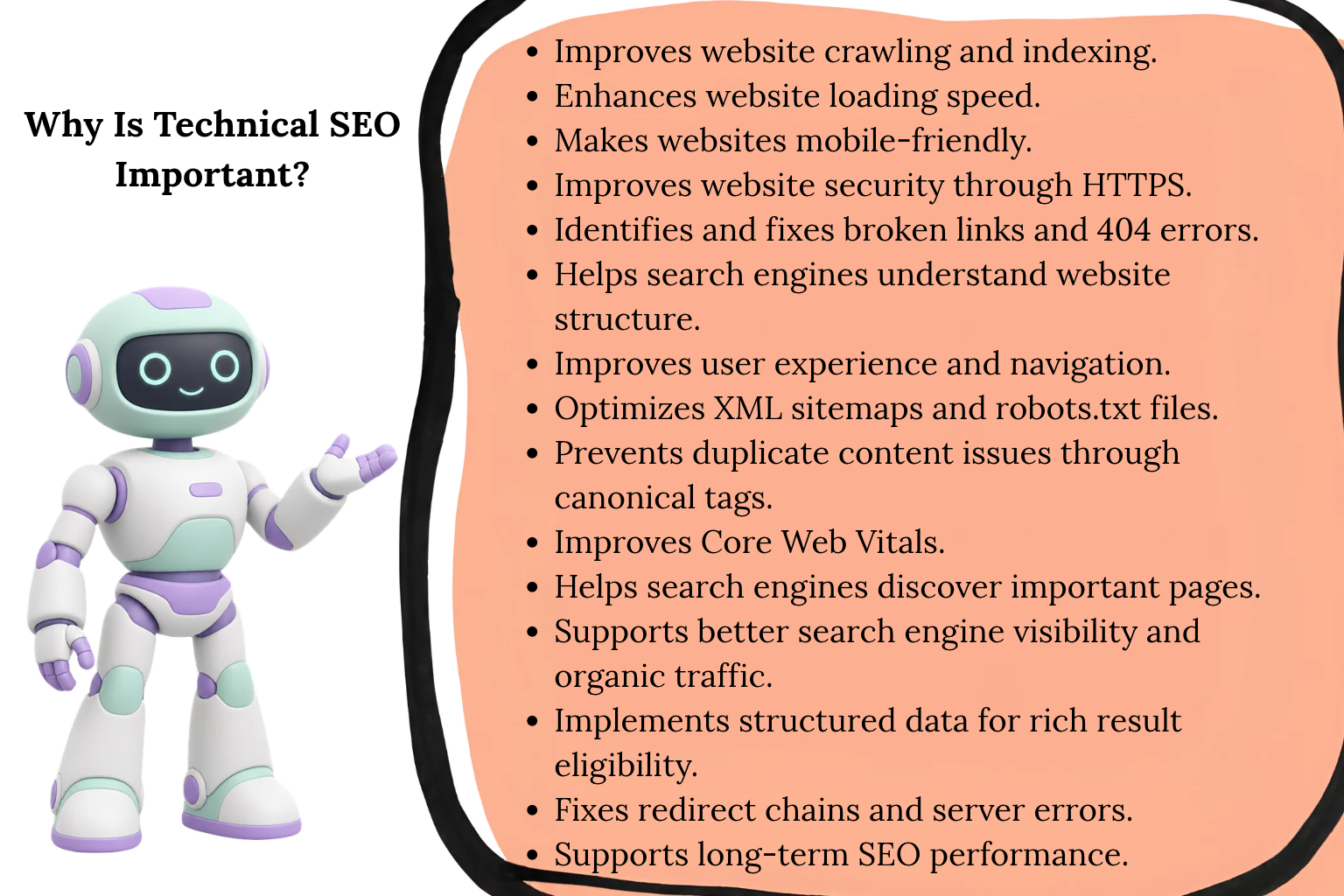
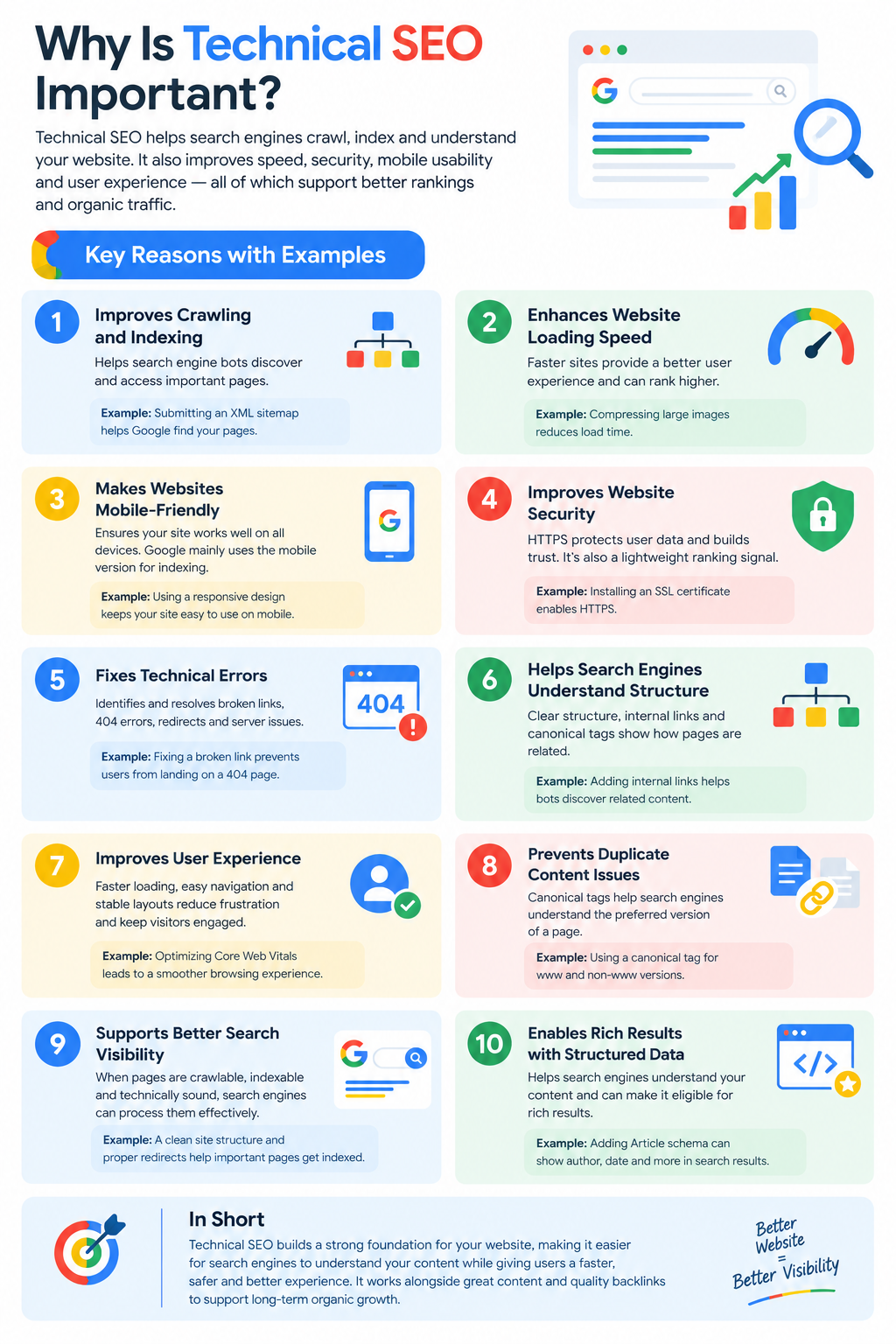
Technical SEO is important because even excellent content can fail to perform if search engines cannot proper access, understand, and index a website. It provides the infrastructure required for search systems to process a website correctly and helps reduce technical barriers that can limit organic visibility.
Key to remind
- Makes it easier for search engines to crawl your website.
- Allows important pages to be indexed correctly.
- Improves website structure and navigation.
- Makes content easier to render and understand.
- Improves page speed and Core Web Vitals.
- Reduces technical errors and indexing issues.
- Strengthens internal linking and site architecture.
- Gives search engines a clearer view of content relationships.
- Supports content discovery in AI-powered search.
- Builds a strong technical foundation for SEO performance.
Core Elements of Technical Optimization
Technical SEO is not simply a collection of isolated fixes. It is a structured framework that ensures search engines can discover, crawl, render, understand, and index.
Each technical element of a website supports the others. A strong content strategy cannot compensate for blocked crawling, poor site architecture, rendering problems, or incorrect indexing signals.
Lets learn about most important Core Elements of Technical SEO.
Understanding Crawlability: The Foundation of Discoverability
Crawlability refers to how easily search-engine crawlers can discover and access the URLs and resources on website. If important pages cannot be crawled, they may never be properly processed or considered for indexing.
Imagine Googlebot as a transport system moving through a website. The internal links are the routes, pages are the stations, and XML sitemap provides an additional map of important destinations. If routes are broken, stations are isolated, or access is blocked, crawlers may waste resources or fail to reach valuable content.
Crawlability becomes particularly important on large websites, where inefficient architecture can consume crawl resources on low-value URLs while important pages remain undiscovered.
Common Crawlability Problems
- Orphan pages: Important URLs with no internal links pointing to them.
- Incorrect robots.txt rules: Critical pages or resources are unintentionally blocked from crawling.
- JavaScript-dependent navigation: Important links or content are difficult for crawlers to discover or process.
- Crawl traps: Faceted navigation, infinite URL combinations, calendars, and session parameters generate large numbers of low-value URLs.
- Excessive URL parameters: Multiple URL variations create unnecessary crawl paths and duplicate or near-duplicate pages.
- Broken internal links: Crawlers encounter dead ends instead of reaching deeper content.
- Poor site architecture: Important pages are buried too deeply within the site’s link structure.
- Server and access errors: 4xx or 5xx responses prevent crawlers from successfully accessing resources.
How to Diagnose and Improve Crawlability?
A reliable crawlability audit should combine crawler data, server data, and search-engine data rather than relying on a single tool.
Crawl the website
Use a technical SEO crawler such as Screaming Frog, Semrush Site Audit, or another enterprise crawler to identify broken links, blocked URLs, redirect chains, orphan pages, status-code problems, and internal-link issues.
Analyze Google Search Console
The Page Indexing and Crawl Stats reports can reveal how Google is crawling and processing your website, including crawl activity, response issues, and patterns in discovered URLs.
Review robots.txt
Check that robots.txt is not unintentionally preventing Googlebot from accessing important URLs or resources. Remember that robots.txt controls crawling, not necessarily indexing; a blocked URL can still potentially appear in search under certain circumstances.
Strengthen internal linking
Important pages should have clear, contextual crawl paths through:
- Main navigation
- Category and hub pages
- Contextual internal links
- Breadcrumbs
- Related-content sections
- Other authoritative pages within the site
Maintain an accurate XML sitemap
Include canonical, indexable URLs that want search engines to discover. Remove unnecessary, redirected, duplicate, or non-indexable URLs from the sitemap.
Control URL generation
For websites using filters, sorting, search parameters, calendars, or other dynamic functionality, establish rules that prevent the generation of unlimited low-value URL combinations.
Why Crawlability Matters?
Crawlability is the first technical gate in the search process. If search engines cannot reliably discover and access a page, subsequent processes such as rendering, content interpretation, indexing, and retrieval become difficult or impossible.
However, crawlability does not guarantee indexing or rankings. A page can be successfully crawled and still be excluded from the index because of duplication, quality, canonicalization, or other indexing signals.
The objective of crawlability is therefore not to make every URL crawlable. It is to ensure that search engines can efficiently discover and access the URLs and resources that are strategically important to the website.
Indexability: What Gets Stored—and What Gets Ignored
Indexability determines a search engine considers a crawled URL eligible for storage and retrieval in its search index. A page can be successfully discovered and crawled but still remain outside Google’s index. In other words, crawling means Google can access and process the URL, while indexing involves deciding whether the page and its content should be stored and made eligible for search.
This distinction is critical in technical SEO: crawling is primarily about discovery and access; indexing is about processing, selection, and storage. Google does not necessarily index every URL it crawls. It evaluates factors such as content quality, duplication, canonical signals, technical accessibility, and overall usefulness when determining which URLs to retain in its index.
Why Pages May Not Be Indexed?
Common causes include:
How to Diagnose Indexing Issues
Use multiple sources rather than relying on a single report:
How to Fix Indexing Problems
- Remove accidental noindex directives from pages that should be indexed.
- Use self-referencing canonicals where appropriate and avoid unnecessary canonicalization.
- Consolidate genuinely duplicate or near-duplicate pages where a single representative URL is preferable.
- Improve thin pages by adding meaningful, original information—or remove/consolidate pages that have no standalone value.
- Ensure canonical URLs resolve to indexable, relevant, 200-status pages rather than redirects, errors, or blocked URLs.
- Resolve conflicts between robots.txt rules, meta robots directives, HTTP headers, redirects, and canonical tags.
- Make important content available in the rendered HTML and ensure critical resources are accessible to search engines.
- Strengthen internal linking so important pages are connected to relevant, crawlable sections of the website.
- Keep XML sitemaps limited to canonical URLs that you want search engines to index.
A Common Technical SEO Failure
A particularly damaging mistake occurs during staging migrations or website launches. Developers may add a sitewide noindex directive while testing and accidentally leave it active after the production site goes live. Entire sections—such as /blog/, product pages, or category directories—can then remain excluded from Google’s index despite months of publishing.
Always audit robots directives, canonical tags, HTTP headers, XML sitemaps, and indexability status after migrations, redesigns, CMS changes, and major deployments.
The key principle is simple: crawlability gives search engines access to a URL; indexability determines whether that URL is eligible to become part of the searchable index.
Site Architecture: The Blueprint for Everything Else
Site architecture is the structural framework that controls how users, search-engine crawlers, and other automated systems discover, access, and interpret the content across a website. It defines the hierarchy of pages, their relationships, URL paths, internal-link structure, and the distribution of authority throughout the domain.
Think of site architecture as both a roadmap and a power grid. The roadmap helps crawlers and users discover important content, while the power grid represents how internal links distribute authority and contextual signals between pages. A poorly structured site can leave valuable pages buried, isolated, or difficult to discover, while a well-designed architecture creates clear pathways between related content.
Key Site Architecture Goals
- Keep important pages close to the homepage: High-value pages should generally be reachable through a small number of logical navigation steps.
- Create logical topical groupings: Organize pages according to subject, search intent, business function, or user journey.
- Minimize unnecessary depth: Avoid excessive folder levels and long navigation paths that make important content difficult to reach.
- Establish clear content hierarchies: Use parent-child relationships to communicate how broad topics connect to more specific subtopics.
- Strengthen internal linking: Connect related pages so crawlers can discover content and users can move naturally through the site.
- Distribute internal authority strategically: Use internal links to reinforce the importance of pages that are valuable for organic search.
- Reduce orphan and isolated pages: Important content should have meaningful internal links pointing to and from relevant pages.
- Maintain a consistent URL structure: URLs should reflect the site’s organization without creating unnecessary complexity.
Site Architecture Optimization Tactics
Build Topic-Based Hubs
Use a hub-and-spoke structure where a broad pillar or hub page connects to more specific supporting pages.
For example:
/seo/
→ /seo/technical-seo/
→ /seo/on-page-seo/
→ /seo/keyword-research/
→ /seo/link-building/
The supporting pages can then link back to the hub and to closely related resources. This creates a connected topical network rather than a collection of isolated articles.
Keep URL Structures Simple
Avoid unnecessarily deep URLs such as:
/blog/seo/guides/2026/technical/advanced/technical-seo-guide/
A cleaner structure might be:
/seo/technical-seo/
Shorter URLs are not automatically better for rankings, but a simple architecture makes the site’s hierarchy easier to manage and reduces unnecessary structural complexity.
Develop Contextual Internal Links
Internal links should connect pages based on topic, context, and user intent, rather than being added simply to increase the number of links.
For example, an article about keyword research can naturally link to related pages about search intent, keyword clustering, keyword mapping, and content optimization.
Use Breadcrumb Navigation
Breadcrumbs provide users with additional navigation paths and reinforce hierarchical relationships between pages. When implemented correctly, breadcrumb structured data can also help search engines understand the page’s position within the site’s hierarchy.
Use Semantic HTML
Elements such as <nav>, <main>, <article>, <section>, and appropriate heading structures provide clearer document structure. Semantic HTML is not a standalone ranking factor, but it improves the machine-readable organization and accessibility of content.
Design for Crawl Efficiency
Large websites should consider how crawl resources are allocated across URLs. Avoid creating excessive low-value URL variations through parameters, filters, faceted navigation, session IDs, or duplicate paths. Make sure important URLs are discoverable through efficient internal linking and are not unnecessarily blocked.
Content Hubs and Topical Authority
One of the most effective architectural approaches for content-heavy websites is the content hub model. A central page covers a broad subject, while supporting pages address narrower subtopics in greater depth.
For example:
SEO
→ Technical SEO
→ On-Page SEO
→ Off-Page SEO
→ Keyword Research
→ Content SEO
→ Local SEO
This structure helps users navigate related information and creates explicit relationships between pages. It can also help search engines understand the site’s topical coverage and identify important pages through internal linking and contextual relationships.
Page Speed & Core Web Vitals: Where Performance Meets User Experience
Page speed is an important part of website performance and user experience. A slow page can make visitors leave before they read the content, while a fast and responsive page makes it easier for users to interact with the website.
Google uses Core Web Vitals to evaluate important aspects of real-world page experience. The three current Core Web Vitals are Largest Contentful Paint (LCP), Interaction to Next Paint (INP), and Cumulative Layout Shift (CLS).
The Three Core Web Vitals
| Metric | What It Measures | Good Target |
| LCP | How quickly the main content becomes visible | ≤ 2.5 seconds |
| INP | How quickly the page responds to user interactions | ≤ 200 ms |
| CLS | How much the page unexpectedly moves while loading | ≤ 0.1 |
1. Largest Contentful Paint (LCP)
LCP measures loading performance. It indicates how quickly the largest visible content element, such as a large image, heading, or text block, becomes visible.
A good LCP should be 2.5 seconds or less.
Common causes of poor LCP include:
- Slow server response
- Large images
- Render-blocking CSS and JavaScript
- Poor caching
- Slow fonts
- Unoptimized above-the-fold content
To improve LCP, prioritize the resources required to display the main content and avoid delaying the largest visible element.
2. Interaction to Next Paint (INP)
INP measures how responsive a webpage is to user interactions. It replaced First Input Delay (FID) as a Core Web Vital in March 2024.
Unlike FID, which focused mainly on the first interaction, INP considers interactions throughout the user’s visit, such as:
- Clicking buttons
- Selecting menus
- Typing into forms
- Tapping links
- Opening interactive elements
A good INP is 200 milliseconds or less.
Poor INP is often caused by heavy JavaScript and long tasks that keep the browser’s main thread busy. Developers or owner can improve it by reducing unnecessary JavaScript, breaking long tasks into smaller pieces, and optimizing event handlers.
3. Cumulative Layout Shift (CLS)
CLS measures visual stability. It tracks unexpected movement of page elements while the page loads.
For example, if a user tries to click a button but an image suddenly loads and pushes the button downward, the page has experienced a layout shift.
A good CLS score is 0.1 or lower.
To reduce CLS:
- Set dimensions for images and videos
- Reserve space for advertisements
- Avoid inserting content above existing content
- Preload important fonts when appropriate
- Use stable layouts for dynamic elements
Total Blocking Time (TBT)
Total Blocking Time (TBT) is not a Core Web Vital, but it is useful when diagnosing performance problems during lab testing.
TBT measures how long the main thread is blocked by long tasks during page loading. High TBT can indicate excessive JavaScript that may also contribute to poor responsiveness.
Developers can use TBT alongside other laboratory metrics to identify performance bottlenecks.
How to Improve Page Speed and Core Web Vitals
Optimize Images
Large images are often responsible for unnecessary page weight. Use modern formats such as WebP or AVIF, compress images, and serve appropriately sized versions.
Lazy-Load Below-the-Fold Images
Images that are not immediately visible do not always need to load at the beginning. Use appropriate lazy loading for below-the-fold images and embedded content.
However, do not lazy-load the primary LCP image, because delaying the main visual element can make LCP worse.
Reduce JavaScript
Remove unnecessary scripts and third-party code. Defer non-critical JavaScript and break long tasks into smaller pieces so the browser can respond to users more quickly.
Optimize CSS
Reduce unnecessary CSS and prioritize the styles required to display above-the-fold content. This can help the browser render important content sooner.
Improve Server Response Time
A slow server delays almost everything that follows. Improving hosting, caching, database performance, CDN configuration, and server-side processing can reduce the initial response time.
Optimize Fonts
Use fewer font variations and load fonts efficiently. Techniques such as font-display: swap can help prevent text from remaining invisible while fonts load.
Prevent Layout Shifts
Reserve space for images, videos, ads, embeds, and other dynamic elements before they load. This keeps the layout stable and improves CLS.
Tools to Measure Website Performance
You can use several tools to identify performance problems:
| Tool | What It Measures | Best For | Key Features | Useful SEO Metrics / Issues |
|---|---|---|---|---|
| PageSpeed Insights | Real-user and lab performance | Checking page speed and Core Web Vitals | Field data, Lighthouse lab data, performance recommendations | LCP, INP, CLS, performance opportunities |
| Chrome DevTools | Browser-level performance | Debugging technical performance problems | Network panel, Performance panel, JavaScript analysis, rendering diagnostics | Long tasks, JavaScript execution, network requests, rendering problems |
| WebPageTest | Detailed page-loading behavior | Advanced performance testing | Waterfall charts, filmstrips, multiple locations and browsers | Load sequence, server response, resource timing, third-party scripts |
| Lighthouse | Performance and technical quality | General website audits | Performance, Accessibility, SEO, Best Practices audits | Performance score, SEO checks, accessibility issues, optimization opportunities |
| GTmetrix | Website loading and technical performance | Monitoring and diagnosing bottlenecks | Performance reports, waterfall charts, loading metrics, recommendations | Page load behavior, resource requests, JavaScript/CSS issues |
Mobile Optimization: Where Modern SEO Begins
Mobile optimization means making a website easy to use, fast to load, and fully functional on smartphones and tablets. Since Google uses the mobile version of a website for indexing and ranking, a poor mobile experience can affect the visibility and performance of the entire site.
Mobile optimization goes beyond simply making a website responsive. It involves improving design, usability, page speed, navigation, readability, and technical performance for users accessing the website on smaller screens and mobile networks.
Critical Mobile Optimization Areas
- Responsive design: Make sure pages automatically adapt to different screen sizes without breaking the layout.
- Mobile-friendly navigation: Use simple menus and provide enough space between clickable buttons and links so users can tap them easily.
- Readable text: Use a comfortable font size and adequate line spacing so visitors don’t need to zoom in.
- Proper viewport settings: Configure the viewport correctly so content fits the device width and users don’t need to scroll horizontally.
- Fast loading: Optimize images, scripts, CSS, and other resources to reduce loading time, particularly on slower mobile connections.
- Avoid intrusive interstitials: Don’t use pop-ups or full-screen elements that unnecessarily block the main content.
- Easy interaction: Forms, buttons, search boxes, menus, and other interactive elements should work smoothly with touch.
- Consistent content: Ensure the mobile version contains the same important content, structured data, headings, links, and metadata as the desktop version.
What to Fix When Optimizing for Mobile?
- Make every important page responsive using flexible layouts rather than fixed-width designs.
- Remove unnecessary pop-ups and intrusive interstitials that prevent users from accessing the main content.
- Compress and properly size images to reduce mobile page weight without significantly reducing quality.
- Reduce unnecessary JavaScript and CSS that can slow down rendering and interaction.
- Check for horizontal scrolling and fix elements that extend beyond the screen.
- Make buttons and links easy to tap by providing sufficient spacing between interactive elements.
- Test pages on real smartphones and tablets, not only desktop browsers or emulators.
- Check mobile performance and usability in Google Search Console and investigate issues affecting important pages.
- Monitor Core Web Vitals, particularly loading performance, responsiveness, and visual stability.
- Keep mobile content equivalent to desktop content so important information is not hidden or removed from the mobile version.
HTTPS & Site Security: More Than a Ranking Signal
HTTPS and website security are important parts of modern technical SEO. HTTPS encrypts the connection between a user’s browser and a website, helping protect information from being intercepted or modified. It also gives visitors greater confidence that they are accessing a secure website.
Google has confirmed that HTTPS is a lightweight ranking signal, but its importance goes beyond rankings. An insecure website can create browser warnings, reduce user trust, and cause technical problems that affect how a site functions.
Essential Site Security Practices
| HTTPS & Website Security Practice | What to Do |
|---|---|
| Use HTTPS Across the Entire Website | Make sure all important pages use HTTPS instead of having a mix of HTTP and HTTPS versions. |
| Redirect HTTP to HTTPS | Set up permanent redirects so visitors and search engines are automatically sent from HTTP pages to the secure HTTPS version. |
| Use HTTPS in Canonical URLs | Make sure canonical tags point to the preferred HTTPS version of each page. |
| Fix Mixed Content | Ensure images, JavaScript, CSS, fonts, and other resources load through HTTPS rather than HTTP on secure pages. |
| Keep SSL/TLS Certificates Valid | Regularly check that the SSL/TLS certificate is valid and correctly configured so users can access the website without security warnings. |
| Update Website Software | Keep your CMS, plugins, themes, frameworks, and server software updated to reduce security vulnerabilities. |
| Protect Important Accounts | Use strong, unique passwords and multi-factor authentication (MFA) for administrator, hosting, and other important accounts. |
Use Security Headers
Security can be strengthened further through HTTP security headers. Common examples include:
- Content-Security-Policy (CSP) – Helps control which scripts and resources a browser is allowed to load.
- Strict-Transport-Security (HSTS) – Tells browsers to use HTTPS when accessing the website.
- X-Frame-Options – Helps prevent certain types of clickjacking attacks.
- X-Content-Type-Options – Helps prevent browsers from incorrectly interpreting certain types of content.
These headers are not direct Google ranking factors, so adding them should not be presented as a way to gain rankings. Their primary purpose is to improve website security. However, a secure and reliable website can contribute to a better user experience and reduce technical problems that may indirectly affect SEO.
Structured Data: Helping Google Understand Web Content
Structured data (Schema Markup) is code added to a webpage that helps search engines understand what the content represents. It provides information in a standardized format, making it easier for Google to identify entities such as products, recipes, events, articles, and businesses.
Common Examples
- Product Schema: Provides details such as price, availability, ratings, and reviews.
- Recipe Schema: Identifies ingredients, cooking time, calories, and ratings.
- Article Schema: Helps identify the headline, author, image, and publication date.
- Local Business Schema: Provides business name, address, phone number, and opening hours.
- Event Schema: Identifies event dates, locations, and ticket information.
Why is Structure Data important? Structured data can improve Google better understand your content and make eligible pages appear with enhanced search features (rich results). However, it does not guarantee higher rankings or rich results.
Canonicalization: Solving the Duplicate Content Problem
Canonicalization is a technical SEO process used to tell search engines which URL should be treated as the preferred or canonical version when multiple URLs contain identical or very similar content.
A website can sometimes have several URLs showing the same page because of parameters, filters, tracking codes, HTTP/HTTPS versions, or different URL paths. Without clear signals, search engines may have difficulty determining which version should be indexed and shown in search results.
Common Canonicalization Mistakes
- Canonicalizing unrelated pages to the homepage
- Pointing canonicals to 404 or redirected URLs
- Using incorrect or inconsistent URLs
- Creating conflicting canonical, sitemap, and internal-link signals
- Incorrectly canonicalizing pagination or filtered pages
Best Practices
- Use the correct preferred URL as the canonical.
- Use absolute HTTPS URLs.
- Keep canonical tags, internal links, redirects, and sitemaps consistent.
- Use self-referencing canonicals where appropriate.
- Review canonicals after migrations or major CMS changes.
Canonicalization helps search engines understand which version of a page should be treated as the main version, reducing confusion from duplicate URLs and helping consolidate SEO signals.
The Complete Technical SEO Checklist 2026
Technical SEO ensures that google can crawl, understand, index, and serve website efficiently. Use this checklist when auditing or optimizing a website.
1. Crawling & Indexing
- Check robots.txt
- Create and submit an XML sitemap
- Fix crawl errors
- Ensure important pages are indexable
- Remove accidental noindex tags
- Check for orphan pages
- Monitor Google Search Console
2. Website Architecture
- Keep important pages within a few clicks of the homepage
- Create a logical category structure
- Use clean, descriptive URLs
- Connect related pages with internal links
- Avoid unnecessary URL depth
3. Canonicalization
- Add correct canonical tags where needed
- Use self-referencing canonicals when appropriate
- Avoid canonical conflicts
- Don’t canonicalize unrelated pages
- Check canonical URLs for 404s and redirects
4. Mobile SEO
- Use responsive design
- Check mobile usability
- Ensure content is consistent across devices
- Make buttons and links easy to tap
- Test important pages on mobile
5. Core Web Vitals & Performance
Monitor:
- LCP – loading performance
- INP – interaction responsiveness
- CLS – visual stability
Also:
- Compress images
- Use modern image formats
- Reduce unnecessary JavaScript
- Remove render-blocking resources
- Use caching and a CDN where appropriate
6. HTTPS & Security
- Use HTTPS across the website
- Maintain a valid SSL certificate
- Redirect HTTP to HTTPS
- Avoid mixed-content issues
- Keep CMS, themes, and plugins updated
7. JavaScript SEO
- Make important content accessible to search engines
- Check JavaScript rendering
- Avoid hiding essential content behind unnecessary scripts
- Test important pages for rendered HTML
- Monitor client-side navigation and URL changes
8. Structured Data
- Implement relevant Schema.org structured data
- Use valid properties
- Follow Google’s structured-data guidelines
- Validate markup regularly
- Don’t add misleading or irrelevant schema
9. Duplicate Content
- Identify duplicate and near-duplicate pages
- Review URL parameters
- Use canonicalization where appropriate
- Redirect unnecessary duplicate URLs
- Maintain consistent URL formats
10. Redirects & Status Codes
Check for:
- 404 errors
- 5xx errors
- Redirect chains
- Redirect loops
- Incorrect 301/302 redirects
- Broken internal links
11. International SEO
For multilingual or international websites:
- Use correct hreflang implementation
- Provide appropriate language versions
- Avoid incorrect country targeting
- Keep language and regional URLs consistent
12. Images & Media
- Compress large images
- Use descriptive filenames
- Add useful alt text
- Implement lazy loading where appropriate
- Avoid unnecessarily large media files
13. Internal Linking
- Link important pages from relevant content
- Use descriptive anchor text
- Fix broken internal links
- Avoid excessive or irrelevant links
- Ensure important pages are not isolated
14. XML Sitemap
Check that the sitemap:
- Contains canonical, indexable URLs
- Does not contain unnecessary redirects or 404 pages
- Uses the correct HTTPS URLs
- Is updated when important URLs change
- Is submitted through Google Search Console
15. Technical Monitoring
Regularly monitor:
- Indexing status
- Crawl errors
- Core Web Vitals
- Server errors
- Broken links
- Canonical issues
- Sitemap errors
- Mobile usability
- Search performance
Important: Technical SEO is not a one-time task, it needs to regular technical audits are necessary to identify new crawling, indexing, performance, and structural problems.
How to Optimize for Technical SEO?
Technical SEO helps search engines crawl, understand, index, and properly display your website. A technically optimized website can also provide a better experience for visitors. The following practices can help improve your technical SEO:
1. Improves Crawlability
Search engines use crawlers to discover URLs and resources across a website. A technically optimized site provides clear navigation, logical internal linking, XML sitemaps, and appropriate robots.txt directives, making it easier for crawlers to discover important pages.
2. Controls Indexability
Not every URL should necessarily appear in search results. Technical SEO helps control which pages are eligible for indexing through mechanisms such as canonical tags, noindex directives, redirects, status codes, and sitemap configuration. This reduces indexing problems and helps search engines focus on the URLs that matter.
3. Helps Search Engines Understand Site Architecture
A logical information architecture establishes relationships between pages and topics. Proper URL structures, internal links, breadcrumbs, and hierarchical organization help search engines understand which pages are important, how topics are connected, and how information is structured across the site.
4. Supports JavaScript Rendering
Modern websites often rely heavily on JavaScript. If important content or links are dependent on client-side rendering, search engines may need additional processing to access them. Technical SEO ensures that critical content remains accessible and renderable to search-engine systems.
5. Improves Website Performance
Technical optimization addresses performance factors such as Core Web Vitals, server response time, resource loading, image optimization, caching, and unnecessary JavaScript or CSS. Better performance can improve user experience and reduce technical friction during crawling and page interaction.
6. Prevents Duplicate-Content and URL Problems
Large websites can generate multiple URLs representing the same or very similar content. Parameters, filters, pagination, HTTP/HTTPS variations, trailing slashes, and duplicate paths can create unnecessary URL versions. Canonicalization, redirects, and consistent URL architecture help consolidate signals around preferred URLs.
7. Makes Content More Accessible to AI Search Systems
Search is increasingly incorporating AI-powered retrieval and answer-generation systems. Technical accessibility can help ensure that important content is discoverable, retrievable, renderable, and machine-interpretable. However, technical SEO alone does not guarantee that a page will be cited or surfaced in an AI-generated answer.
8. Strengthens Structured Data and Entity Understanding
Schema.org structured data provides machine-readable information about entities, content types, products, organizations, events, authors, and other objects. When implemented correctly and supported by visible page content, structured data can help search systems interpret the meaning and relationships within a page.
9. Reduces Technical SEO Errors
Technical audits can uncover issues such as:
- Broken links
- 4xx and 5xx errors
- Redirect chains
- Orphan pages
- Incorrect canonicals
- Blocked resources
- Indexing anomalies
- Duplicate URLs
- Slow pages
- Mobile rendering problems
- Sitemap errors
- Incorrect robots.txt rules
Resolving these issues creates a more reliable technical environment for both users and automated systems.
10. Creates a Foundation for SEO Growth
Technical SEO does not replace content quality, relevance, authority, links, or user satisfaction. Instead, it provides the infrastructure through which those signals can be processed effectively.
In simple terms: Technical SEO makes a website technically accessible and understandable to search systems. Content SEO determines what the website is relevant for, while authority and other signals influence how competitive its pages can be.
Common Technical SEO Issues and How to Fix Them
Technical SEO problems can prevent search engines from crawling, rendering, indexing, and ranking important pages. The most common issues include:
| Issue | Common Cause | Proper Fix |
| Pages not indexed | noindex, robots.txt, poor internal linking, duplicate content | Check URL Inspection, remove incorrect blocks, add internal links, improve content |
| Redirect chains | Multiple redirects after migrations | Replace chains with a direct 301 redirect |
| Crawl budget waste | Duplicate URLs, filters, search pages, unnecessary parameters | Control low-value URLs and improve site architecture |
| JavaScript SEO issues | Important content depends heavily on JS | Ensure critical content is available in rendered HTML; use SSR/SSG where appropriate |
| Poor Core Web Vitals | Heavy JS, large images, slow server, layout shifts | Optimize images, reduce JS, improve server response and prevent layout shifts |
| Duplicate content | URL parameters, HTTP/HTTPS or www variations | Use consistent URLs, redirects, and appropriate canonical tags |
| Mobile problems | Small text, difficult navigation, slow loading | Use responsive design and test real mobile experiences |
1. Indexing Problems
If important pages aren’t appearing in Google, check Google Search Console → URL Inspection and the Pages report. Look for noindex, robots.txt blocks, incorrect canonicals, orphan pages, or pages that Google has crawled but chosen not to index.
Fix: Make important pages indexable, add relevant internal links, include them in the XML sitemap, and improve thin or duplicate content where necessary.
2. Redirect Chains and Loops
A redirect chain occurs when one URL redirects through several other URLs before reaching the final page.
Example:
A → B → C → D
Ideally:
A → D
Fix: Replace unnecessary chains with a direct 301 redirect and update internal links to point directly to the final URL.
3. Crawl Budget Waste
Large websites can waste crawling resources on duplicate URLs, filters, search-result pages, parameters, and low-value archives.
Fix: Reduce unnecessary URL variations, improve internal linking, manage crawlable URL patterns, and keep XML sitemaps focused on important canonical URLs.
4. JavaScript Rendering Problems
Important content, links, titles, canonicals, or structured data may depend on JavaScript.
Fix: Test rendered content and make critical information accessible without relying excessively on client-side execution. Server-side rendering (SSR) or static generation (SSG) can be useful for JavaScript-heavy websites.
5. Core Web Vitals Problems
Common causes include:
- Large images
- Excessive JavaScript
- Third-party scripts
- Slow server response
- Layout shifts
Fix: Compress and properly size images, reduce unnecessary JavaScript, improve caching and hosting, and reserve space for images or dynamic elements.
6. Duplicate Content and Canonical Conflicts
Multiple URLs may show the same or very similar content.
Fix: Use consistent URL structures, appropriate canonical tags, redirects where necessary, and consistent internal links and sitemap URLs.
7. Mobile SEO Issues
Common problems include:
- Tiny text
- Difficult-to-use buttons
- Poor navigation
- Slow mobile loading
- Content being unavailable or significantly different on mobile
Fix: Use responsive design and test important pages on actual mobile devices as well as browser-based testing tools.
Frequently Asked Questions
What Is Technical SEO in Digital Marketing?
Technical SEO is the process of optimizing a website’s technical elements to help search engines crawl, understand, and index its pages efficiently. It focuses on areas such as website speed, mobile-friendliness, HTTPS, site structure, XML sitemaps, robots.txt, redirects, canonical tags, and Core Web Vitals.
The main goal of technical SEO is to make sure that search engines can easily access and process important website pages, while users get a fast, secure, and smooth browsing experience. Unlike on-page SEO, technical SEO focuses more on the website’s infrastructure and technical performance rather than the content itself.
Why Core Web Vitals Matter for Technical SEO?
Core Web Vitals are part of Google’s page experience signals, but good Core Web Vitals scores alone do not guarantee higher rankings. Relevance, content quality, search intent, links, technical accessibility, and many other factors also matter.
The practical goal should therefore not be to optimize metrics just for Google’s algorithm. A fast, responsive, and visually stable website provides a better experience for real users, while also giving search engines a technically strong page to crawl and process.
Improve page speed by making important content load quickly, interactions respond smoothly, and the layout remain stable. Good Core Web Vitals are the result of a website that is technically efficient and user-friendly.
Why Mobile Optimization Matters?
A mobile-friendly website can provide a better experience for visitors, reduce usability problems, and make it easier for search engines to access and understand your content. It can also support better engagement because users are more likely to stay on a website that loads quickly and works properly on their device.
Mobile optimization means creating a website that is fast, responsive, readable, easy to navigate, and fully functional on mobile devices. It should not be treated as a separate SEO task; it should be part of the website’s overall SEO and user-experience strategy.
Why Security Matters for SEO?
Website security supports SEO in several ways. A secure site can provide a more trustworthy experience, avoid browser security warnings, protect important website resources, and reduce the risk of attacks that could damage pages or make the site unavailable.
HTTPS may provide only a small direct ranking benefit, but website security is essential for protecting users, maintaining trust, preventing technical problems, and keeping a website reliable for both visitors and search engines.
What is included in Technical SEO?
Technical SEO includes website crawling and indexing, XML sitemaps, robots.txt, HTTPS security, site speed, mobile-friendliness, URL structure, canonical tags, redirects, fixing broken links, structured data, Core Web Vitals, and duplicate content management. These elements help search engines crawl, understand, and index a website properly while improving the user experience.
What is Technical SEO Audit?
A technical SEO audit is the process of checking a website for technical issues that may affect its crawling, indexing, search visibility, and performance. It includes reviewing site speed, mobile-friendliness, HTTPS security, XML sitemaps, robots.txt, broken links, redirects, canonical tags, structured data, and Core Web Vitals to identify and fix problems that affect SEO.
3 Comments